
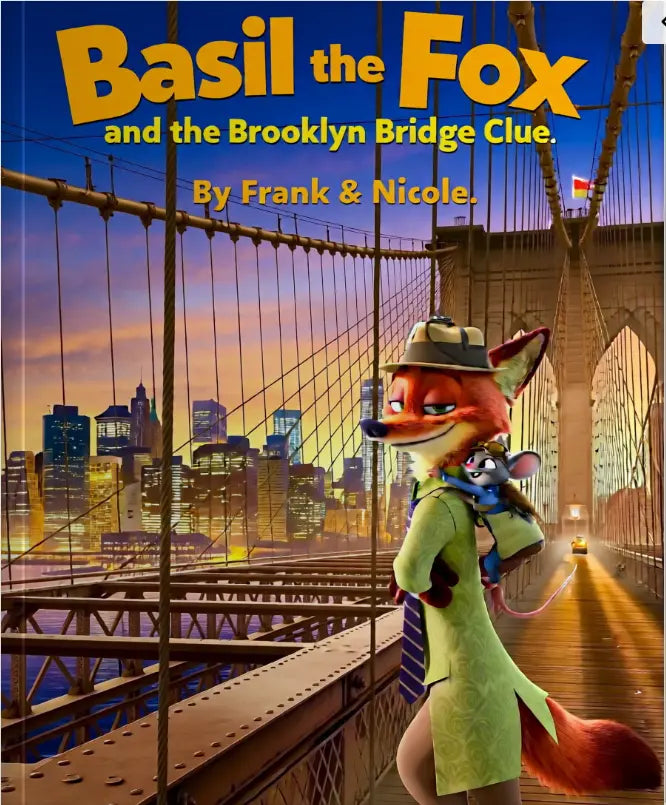

A bedtime story on a bright screen is convenient. A favorite story in a child’s hands is something else entirely. Pages can be turned, pictures can be traced with a finger, and the book can travel from couch to car to pillow fort without needing a charger. That is why so many parents ask how to print childrens ebooks in a way that feels polished, durable, and easy to use.
The good news is that printing children’s ebooks at home is very possible. The better news is that you do not need a professional print shop setup to get a result your child will actually love. What matters most is choosing the right file, paper, print settings, and finishing method for the kind of reading experience you want.
How to print childrens ebooks without wasting ink
The first decision is not your printer. It is your file.
Children’s ebooks come in a few common formats, and not all of them are equally print-friendly. A PDF is usually the easiest option because the page layout stays consistent. That matters for picture books, where text placement, image size, and page turns are part of the storytelling. EPUB files are excellent for flexible digital reading, but they can be harder to print cleanly because the text may reflow depending on the device or software.
If you have both a PDF and a flipbook version, the PDF is generally the better choice for printing. The flipbook offers a lovely on-screen experience, but printing works best from a file that was designed with fixed pages.
Before you hit print, open the file and check three things. Make sure the pages are the size you expect, confirm that illustrations reach the edges only if your printer can handle borderless printing, and look at whether the book is meant to be printed double-sided. These details save paper, ink, and frustration.
Home printing always involves a trade-off. If you want rich color and thick pages, you will use more ink and spend more on materials. If you want a quick, affordable copy for everyday reading, a simpler setup can still look very good.
Choose the page size that suits the story
A full-size letter sheet is not always the best format for a children’s book. Some stories feel more natural as a half-page booklet, especially for younger children with smaller hands. Others need large illustrations and larger text, which makes standard 8.5 x 11 inch pages a practical choice.
If the ebook was designed in standard US letter size, print at 100% scale whenever possible. Shrinking artwork too much can make text harder to read and images less inviting. If the pages seem oversized for your child, booklet printing can be a smart middle ground. This prints multiple pages on each sheet and folds them into a compact book format.
Booklet printing looks charming, but it works best with page counts that fit folded signatures cleanly. If your file is not arranged for booklet order, your printer software may handle that automatically. If not, standard page-by-page printing is simpler and less risky.
For early readers, bigger is often better. Children who are just beginning to recognize words benefit from larger type and clear spacing. For older kids who want a story they can carry around, a smaller booklet can feel more personal and fun.
Paper matters more than most people expect
If you want one change that instantly improves the result, upgrade the paper.
Standard copy paper is fine for drafts, coloring pages, or temporary reads. But children’s books usually look better on a slightly heavier stock. A matte presentation paper gives color illustrations more depth without the glare that glossy paper can create under bedroom lamps or classroom lighting.
For most home-printed children’s ebooks, a paper weight between 28 lb and 32 lb works well for inside pages. It feels more substantial, reduces show-through, and still feeds through many home printers without trouble. For the cover, a heavier cardstock adds structure and makes the finished piece feel more like a real book.
There is an age factor here, too. Toddlers are tough on books. If the book is for a younger child, durability matters more than elegance. Heavier paper and a sturdier cover are worth it. If the book is for occasional bedtime reading with an adult, you can prioritize color quality and softness over toughness.
Glossy paper can make illustrations pop, especially in highly visual stories, but it is not always the best choice. Fingerprints show easily, pages can stick, and some home printers do not handle glossy stock well. Matte or satin paper tends to be a safer, more family-friendly option.
Get the printer settings right before the final run
If you are learning how to print childrens ebooks for the first time, do not start with the whole book. Print two or three sample pages first.
This small test helps you check color, margins, image sharpness, and text readability. It also tells you whether your paper is feeding correctly. A beautiful digital file can still come out too dark, too pale, or slightly cropped if the settings are off.
Choose the highest quality print setting you can reasonably afford in time and ink. For picture-heavy books, “best” or “photo” quality often improves the images noticeably. For text-heavy children’s learning books, a standard high-quality setting may be enough.
Double-sided printing is useful, but it needs care. Some home printers shift alignment slightly between front and back. If illustrations or text sit close to the edges, this can make the final result feel uneven. Again, a short test run is your best friend.
Color calibration is another place where expectations matter. What you see on a backlit screen will almost always look brighter than the printed page. If a story depends on soft pastel tones or deep nighttime scenes, you may need to adjust your printer settings or choose a brighter paper to keep the mood intact.
How to print childrens ebooks for everyday family use
A perfect keepsake copy and an everyday reading copy are not the same thing.
For everyday use, practicality wins. Print double-sided to save paper, use a durable matte stock, and keep the binding simple. This version is for snack-time page turns, backpack travel, and repeat readings that end with sleepy eyes.
For a gift copy or a special occasion, you can be more ambitious. Add a cardstock cover, choose higher-quality paper, and consider hand-binding or using a local office printer if the page count is high. The story may be digital at first, but the finished book can still feel deeply personal.
One smart approach is to create two versions. Print a quick reading copy for the child and keep a nicer archival copy tucked away. That works especially well for books your family returns to often.
This is also where printable ebooks shine. They offer flexibility that traditional books cannot. You can reprint a damaged page, enlarge a page for easier reading, or print only a section your child wants to revisit. That convenience is part of the magic of a modern digital library.
Simple binding options that actually work
Binding can sound complicated, but for most families it comes down to three realistic choices.
Stapled booklet binding is the easiest for shorter books. If your pages are arranged properly for folding, a long-arm stapler makes this clean and simple. For slim storybooks, it looks neat and feels familiar.
Three-hole punching and placing pages in a slim binder is less charming, but very practical. It is especially useful for educational children’s ebooks, printable activity books, or collections you want to update over time.
A comb-bound or spiral-bound copy lies flat, which is excellent for read-aloud sessions and activity-based books. If your child likes to color, trace letters, or follow along independently, this option is often the most user-friendly.
There is no single best binding method. A fairy-tale picture book may deserve a booklet format, while a phonics workbook benefits from spiral binding. It depends on how the book will be used, not just how it looks.
Watch for copyright and print permissions
This part deserves care.
Not every ebook is licensed for home printing, and some are meant for digital use only. Before printing, check the product description, usage terms, or publisher guidance. Many family-friendly digital publishers clearly state whether a title is printable for personal use.
That matters for trust as much as legality. When a publisher offers printable ebooks, it is a genuine value for parents because it turns instant access into something tactile and lasting. If you are building a home reading collection, choosing titles that welcome both screen reading and offline printing gives you far more flexibility.
At FN Library Online, that balance between digital ease and printable joy is part of what makes a modern children’s library feel so useful for real families.
Make it feel like a real book
Children notice details. A sturdy cover, clean trimming, and pages in the correct order all tell them this story matters.
You do not need perfection. You just need care. Trim uneven edges if your printer leaves large margins. Add the child’s name inside the cover if it is a personal copy. Slip the finished book into a reading basket instead of handing over a loose stack of pages.
Those small touches change the experience. The story stops feeling like a file and starts feeling like part of the family’s world.
If you are figuring out how to print childrens ebooks, the best approach is to begin simply, test one story, and improve from there. A well-printed children’s book does not have to look factory-made to become a favorite. Sometimes the copy with the hand-folded cover and slightly imperfect staples is the one that gets read the most.

